
The 9 Best Animoto Alternatives in 2026
Animoto is alive and well, Redbrick Technologies acquired it in 2023, but its block editor still has no timeline, no keyframes, and a flat $16/mo starting price with no annual discount published anywhere. Our top pick is EchoWave, a real editing timeline with keyframe animation and a music visualizer, though Animoto's deep Getty Images and licensed-music bundle remains the better draw for pure slideshow shoppers. Free and cheaper annual-billed options are ranked below.


The 9 Best Animoto Alternatives in 2026 Features
Trusted by thousands of creators worldwide





Why people look for an Animoto alternative
Animoto's pitch has stayed the same for years: drop in photos and video clips, pick a style, and its patented Cinematic AI engine assembles a polished slideshow, no editing skill required. That simplicity comes from a fixed block structure rather than a timeline, so there are no keyframes, no frame-level animation, and reviewers describe templates that look several years old. The free plan exports at 720p but is watermarked and capped to 30 color swatches, 3 fonts, and 50 music tracks, tight creative limits rather than a raw time cap. Paid pricing is flat too: Basic is $16 a month, Professional is $29, Professional Plus is $79 for up to 3 users, and no source we checked, official or third-party, has ever published an annual rate for any tier. Trustpilot reviewers describe auto-renewal charges continuing despite multi-month cancellation attempts, with refunds often issued as account credit rather than money back.
Animoto was acquired by Redbrick Technologies in August 2023 and still operates as its own brand, it has not been sunset. We tested each alternative below in the browser and re-checked every pricing page in August 2026.
TL;DR: EchoWave is the best overall alternative, a real timeline with keyframe animation and a built-in music visualizer, plus annual billing Animoto doesn't offer; FlexClip if you want a similar price with more scene flexibility than fixed blocks; Renderforest if you also want a logo and website out of the same subscription.
The best Animoto alternatives in 2026, ranked
Every pick tested in the browser. Prices checked August 2026.
- 1
EchoWave
Our pickBest overall: a real timeline with keyframes and transitions Animoto's block editor can't do
Animoto's whole workflow runs on fixed content blocks: drop in photos and clips and let its Cinematic AI handle the pacing, with no timeline to fine-tune and no keyframe animation at all. EchoWave replaces that with a real multi-track timeline: keyframe your own motion, layer transitions, add a music visualizer or background music track, and edit by deleting words in an auto-generated transcript instead of nudging block boundaries. The free plan takes video up to 60 minutes at 720p with a small badge, and quick tools like the video compressor export with no watermark at all.
The honest trade: Animoto's Getty Images and licensed-music bundle, scaling up to 100M+ premium assets and 3,000+ tracks on its top tier, has no EchoWave equivalent, EchoWave ships stock sound effects, not a licensed stock photo or music library.
- Pricing:
- Free plan; paid from $9/mo billed annually
- Free plan:
- Free forever: full editor, 720p exports with a small badge; quick tools export with no watermark
- Best for:
- Creators who want real timeline control, keyframes, and transitions instead of a fixed block editor
Pros
- Multi-track timeline with keyframe animation and transitions, not fixed blocks
- Edit by deleting words in the transcript, with filler-word and silence removal
- Music visualizer and waveform video tools built into the same editor
- Free plan covers video up to 60 minutes, no forced short clips
- Auto-transcribed subtitles in 50+ languages with karaoke-style animation
- 4K at 50/60fps on Pro, 8K and 120fps on Business
Cons
- Free exports are 720p with a small watermark badge
- No licensed Getty stock photo or footage library
- Stock library is sound effects, not the licensed music catalog Animoto bundles in
- 2
FlexClip
flexclip.comA real, if single-track, timeline and a broader AI suite than Animoto's block editor
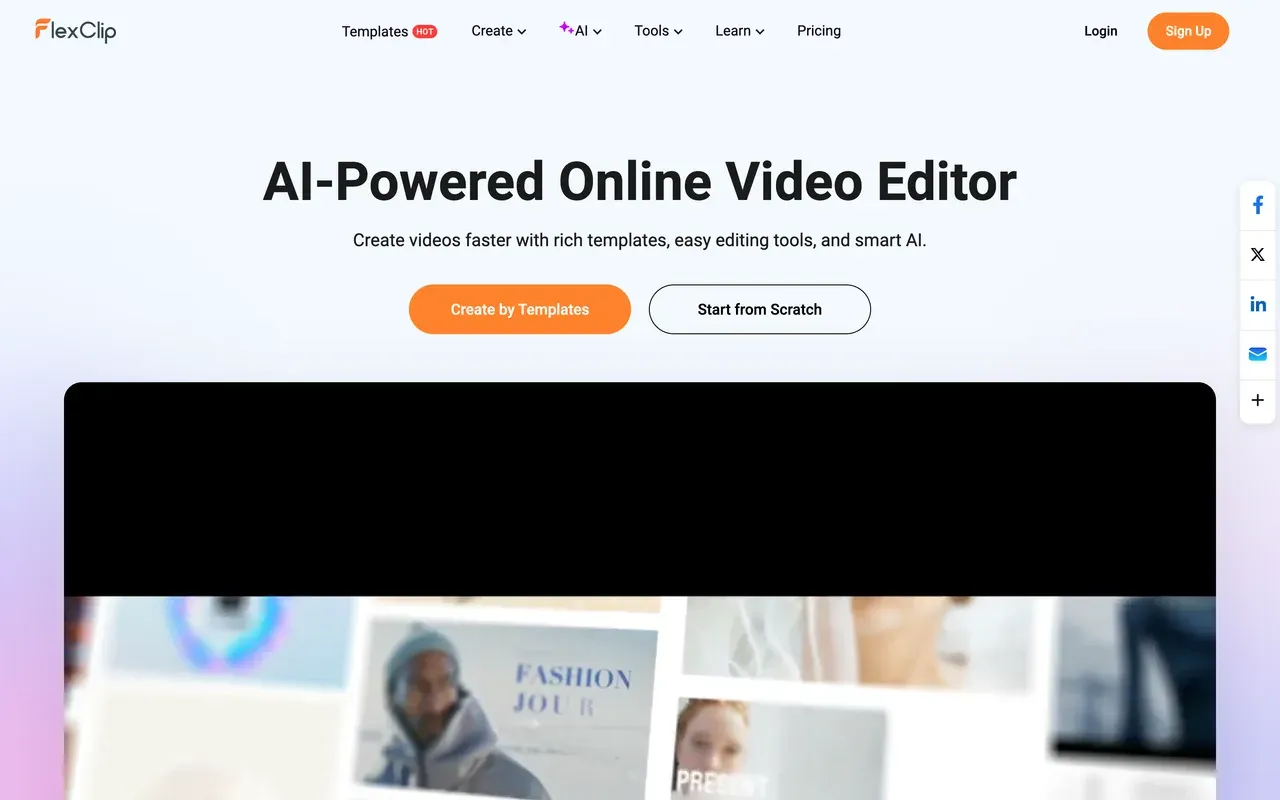
Where Animoto locks you into fixed content blocks, FlexClip at least puts clips on a single-track timeline, backed by 6,000+ templates and a fast-growing AI suite: text-to-video, script writing, auto-subtitles, and 2026's AI Long-to-Shorts for repurposing long content into clips. Entry pricing is close, Plus runs $11.99/mo billed annually versus Animoto's flat $16/mo with no annual option published anywhere. FlexClip's free plan forces a branded intro on every export though, stacked on top of its watermark, and reviewers report renewal charges landing without advance notice.
- Pricing:
- From $11.99/mo billed annually (Plus; $19.99 monthly)
- Free plan:
- 720p export, 10-minute video cap, 1 stock clip per project, forced branded intro plus watermark
- Best for:
- Small businesses wanting a real timeline plus a broad, bundled AI toolkit at a similar price to Animoto
Pros
- Single-track timeline, more flexible than Animoto's fixed blocks
- 6,000+ templates plus text-to-video, script writer, and auto-subtitles
- 2026 AI Long-to-Shorts repurposes long videos automatically
- Large bundled stock library: 4M+ clips/photos, 74,000+ music tracks
Cons
- Free plan forces a branded intro on top of the watermark
- Billing/renewal complaints: charged on renewal without notice, refunds refused
- Single-track only, thinner template depth than dedicated competitors per reviewers
- 3
Biteable
biteable.comAI avatar presenters for HR explainers, but no free plan at all next to Animoto's
Biteable and Animoto both promise fast videos with no editing skill required, but they solve different jobs: Biteable leans into HR and business explainers with AI avatar presenters standing in for on-camera talent, while Animoto leans into photo-and-clip slideshows backed by licensed Getty stock. The pricing gap matters: Animoto at least has an ongoing free plan, watermarked and capped at 720p, while Biteable has no free plan, and its trial will not let you download a video to judge the output. Both carry billing complaints, but Biteable's Trustpilot score has fallen to 2.3, "Poor", over prices reviewers say doubled twice in a year, worse than Animoto's own auto-renewal complaints.
- Pricing:
- $15/mo billed annually, per user (Pro)
- Free plan:
- No free plan; trial does not allow downloading your finished video
- Best for:
- HR and internal-comms teams who specifically want AI avatar presenters, not slideshows

Pros
- AI avatar presenter videos with no on-camera talent needed
- Polished business and HR explainer templates
- Simple, fast workflow for non-editors
Cons
- No free plan, and the trial won't let you download a video to test it
- Trustpilot down to 2.3, "Poor", over reported price hikes
- Per-user pricing on every paid seat
- 4
Renderforest
renderforest.com1,200+ templates and real scene sequencing Animoto's blocks don't have, plus a credits system it doesn't either
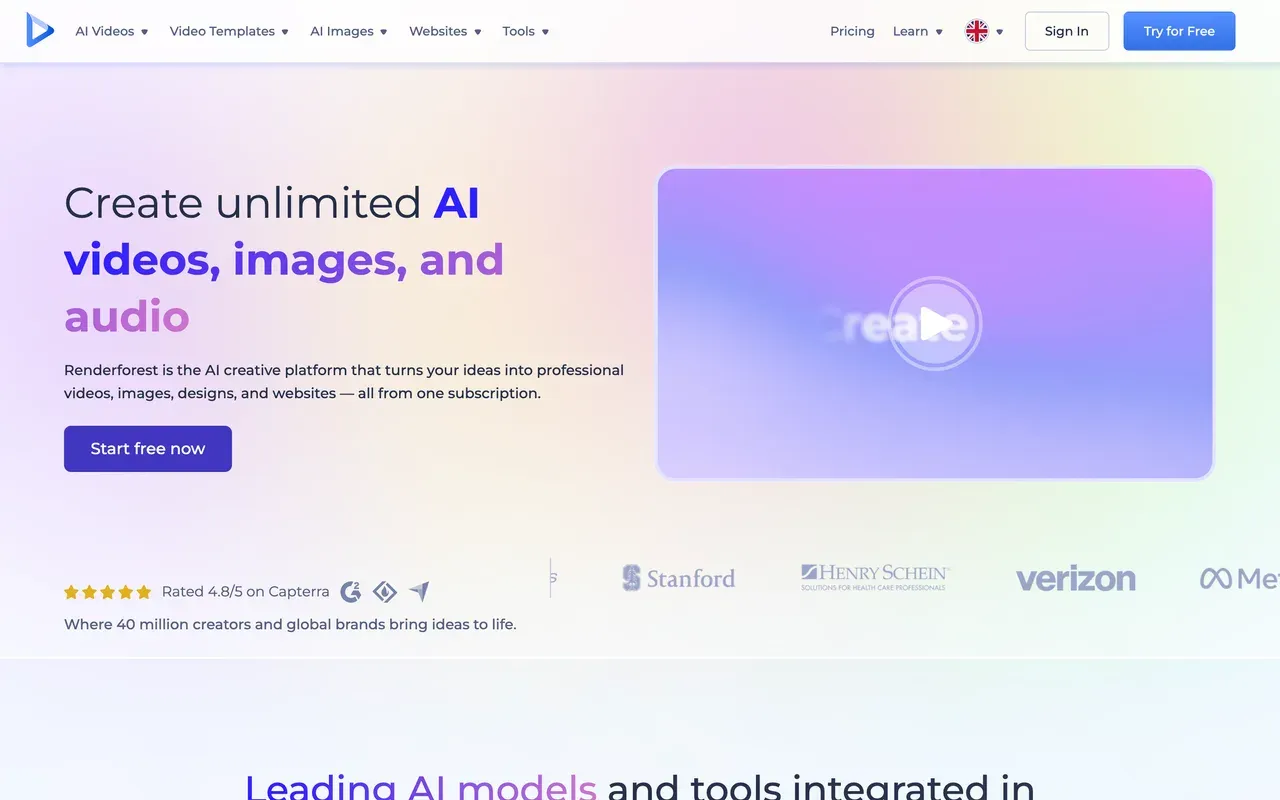
Renderforest at least sequences full scenes across a 1,200+ template catalog, closer to real editing than Animoto's fixed content blocks, and bundles a logo maker and website builder into the same subscription. It holds a strong 4.7 score on G2. The catch Animoto doesn't share: a separate credits system, from $10 per 100 credits, sits on top of the subscription for premium templates and assets, and the free plan is tighter too, 360p versus Animoto's 720p, with a length cap sources put between 1 and 3 minutes.
- Pricing:
- From $9.99/mo billed annually (Lite; $14.99 monthly)
- Free plan:
- 360p exports, about 500MB storage, watermark, short clips (sources cite roughly 1 to 3 minutes)
- Best for:
- Template shoppers who also want logo design and a website builder bundled with video
Pros
- 1,200+ templates with real scene sequencing, not fixed blocks
- Logo maker and website builder bundled into the same subscription
- Strong G2 rating: 4.7 across 446 reviews
- AI ad-generator and third-party AI video model access
Cons
- Separate credits system, from $10 per 100 credits, on top of the subscription
- Free plan is 360p, tighter than Animoto's 720p free tier
- Auto-renewal billing complaints on Trustpilot
- 5
InVideo
invideo.ioPrompt-to-video AI generation instead of Animoto's block editor, with its own credit-burn problems
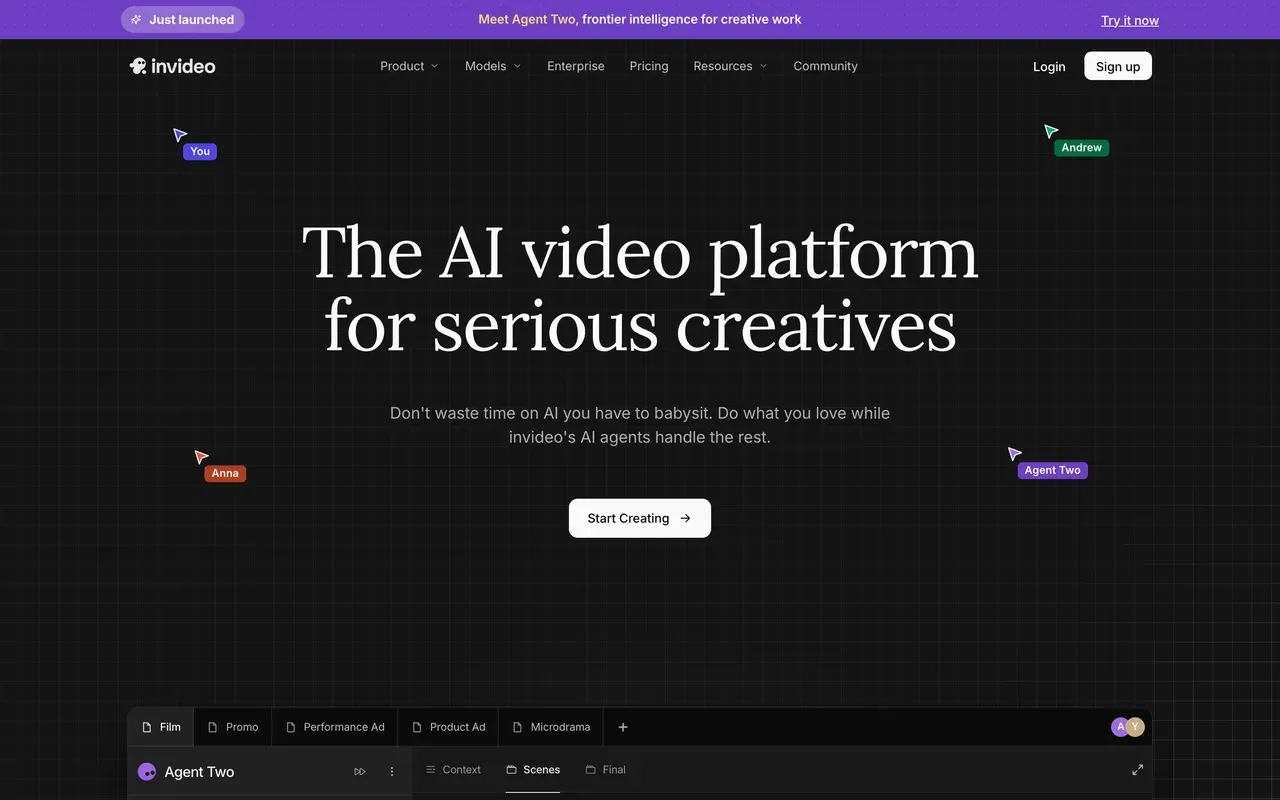
Animoto's block editor is at least predictable: drop in photos and clips and it assembles them. InVideo skips that step, its Agent Two generates video directly from a text prompt using models like Sora 2 and Veo 3.1, a genuinely different workflow rather than a faster version of Animoto's. That flexibility comes with its own friction: reviewers report credits burning on failed generations with no rollover, and Trustpilot scores split sharply, 3.4 for the current AI product versus 2.1 for the legacy Studio product, a wider swing than Animoto's steadier 3.7.
- Pricing:
- Plus around $20-25/mo (pricing pages are login-gated; no annual rate found)
- Free plan:
- Free tier exists but AI generations are metered by credits; watermarked
- Best for:
- Marketers who want to generate video from a text prompt rather than assemble blocks or clips
Pros
- Genuine text-prompt-to-video generation via Agent Two
- Multi-model access: Sora 2, Veo 3.1 in one place
- Large template library
Cons
- Credits burn on failed generations, with no rollover
- Credit costs can change without notice, and refunds are reportedly refused
- Trustpilot splits 3.4 (AI product) vs 2.1 (legacy Studio)
- 6
VEED
veed.ioA modern all-in-one AI suite Animoto's dated block editor can't match, at per-user pricing
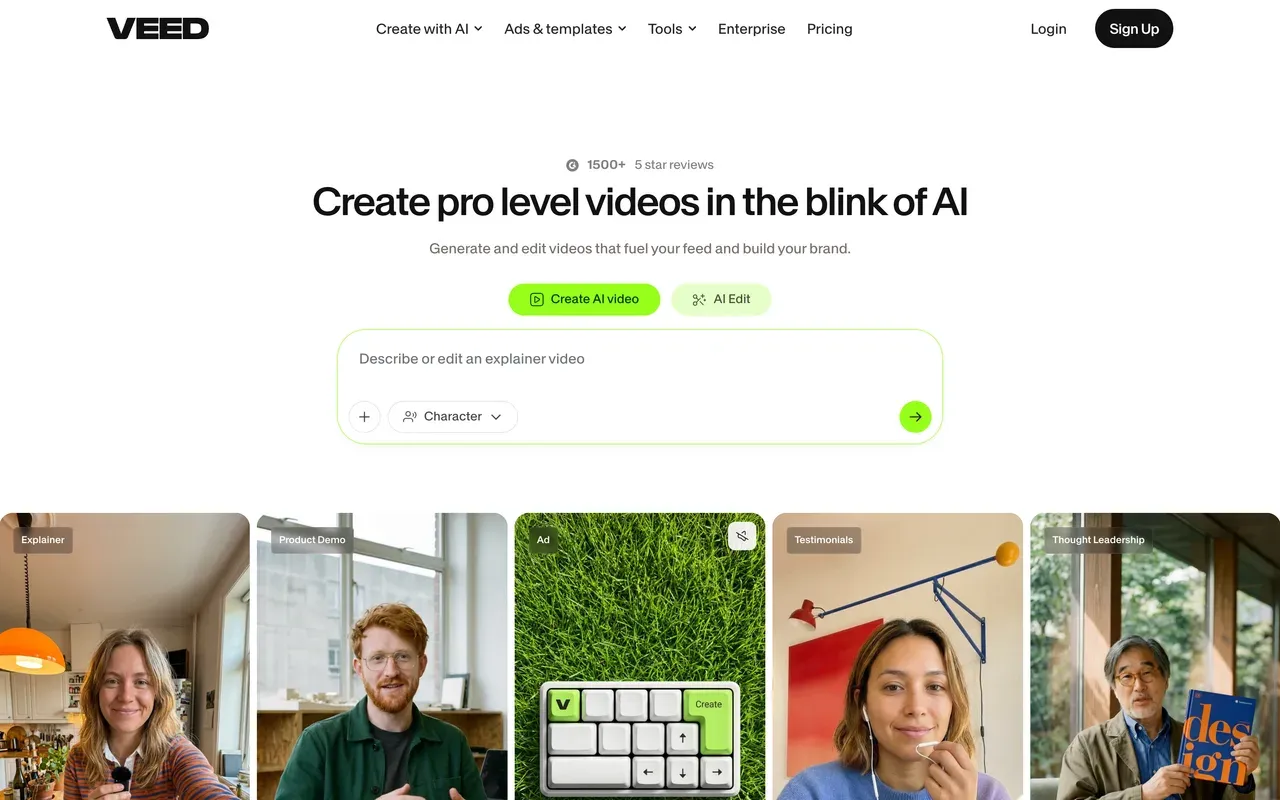
Where Animoto's templates read as several years old per reviewers, VEED ships a genuinely current toolkit: Gen-AI Studio aggregating 25+ text-to-video models plus its own Fabric 1.0, AI avatars, voice cloning, and polished caption translation. The structure is a real difference from Animoto's flat-fee simplicity though, every VEED tier, Creator at $10/mo billed annually up to Studio at $35, is priced per user, and AI features are metered by yearly credit allowances. Billing and auto-renewal complaints dominate VEED's Trustpilot page despite a decent 4.1 score, in the same territory as Animoto's own renewal complaints.
- Pricing:
- From $10/mo billed annually (Creator; $20 monthly), per user
- Free plan:
- 720p export, 10-minute max, 2GB storage, limited AI credits, watermark
- Best for:
- Teams that want current AI tooling and captioning, not a block-based slideshow editor
Pros
- Gen-AI Studio aggregates 25+ text-to-video models plus Fabric 1.0
- AI avatars, voice cloning, and a recorder built in
- Polished captions and translation
- Team workspaces and brand kits
Cons
- Per-user pricing on every tier, Creator through Studio
- AI features metered by yearly credit allowances
- Billing and auto-renewal complaints dominate Trustpilot despite a 4.1 score
- 7
Lumen5
lumen5.comBlog-to-video AI drafting, a different shortcut than Animoto's photo-and-clip blocks
Lumen5 automates a different part of the job than Animoto: paste a blog URL or script and it drafts a video by matching stock clips to each sentence, rather than assembling your own photos and clips into blocks. Both skip a real timeline, but Lumen5's cost curve is steeper: removing the watermark is $19/mo billed annually and still caps you at 720p, and reaching 1080p needs Starter at $59/mo annually, well past Animoto's flat $16/mo for 1080p and no watermark. Reviewers also report long render times and audio-sync issues, and the AI's stock-matching is often generic enough to need manual correction.
- Pricing:
- From $19/mo billed annually (Basic; $29 monthly)
- Free plan:
- Up to 5 videos/month, 2-minute max length, 720p, no premium stock, watermarked
- Best for:
- Marketers who want a first-draft video generated from a blog post or script, not a photo slideshow

Pros
- One-click blog-URL or text-to-video drafting
- Auto-matches stock photos and clips to your script
- Brand kits and custom fonts from Starter up
- Screen-recording-to-video added Dec 2025
Cons
- No 4K export at any published tier
- 1080p requires Starter at $59/mo billed annually, pricier than Animoto's 1080p
- AI stock-matching often needs manual correction
- Long render times and audio-sync issues reported across review sites
- 8
Adobe Express
adobe.comNo watermark even on the free plan, but video editing is a secondary feature next to design tools
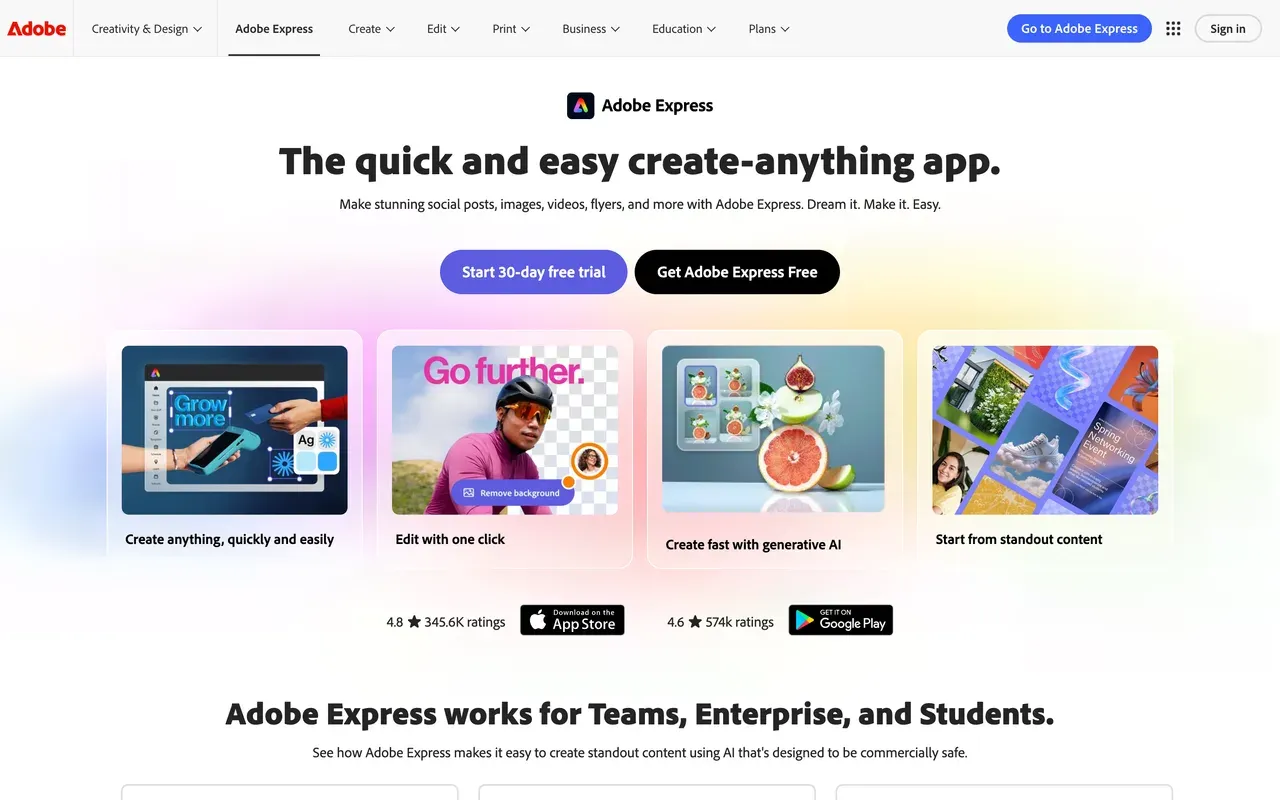
Adobe Express flips Animoto's trade-off: even the free tier exports with no watermark, a genuine advantage over Animoto's watermarked 720p free plan. But video is not the point of the product, Adobe Express is a design tool first, built around Adobe Stock, brand kits, and Firefly generative credits, 250 a month on the $9.99/mo Premium plan, with social graphics as the core use case. Forum reviewers report recurring complaints about broken or limited video editing specifically, and hard media caps (3840x3840) push more ambitious edits toward Premiere. If slideshow-style video with licensed stock is the actual job, Animoto is the more purpose-built tool.
- Pricing:
- $9.99/mo (Premium); $99.99 billed annually
- Free plan:
- No watermark; basic video features; AI generations limited daily since the 2025 Firefly overhaul
- Best for:
- Designers already in the Adobe ecosystem who need quick social video alongside graphics
Pros
- No watermark, even on the free tier
- Adobe Stock and brand-kit ecosystem plus Firefly generative credits
- Strong Capterra rating: 4.6
- Familiar to anyone already using Adobe's design tools
Cons
- Video editing is secondary to design and social graphics
- Recurring forum complaints about broken or limited video editing
- Hard media size limits (3840x3840) push bigger edits to Premiere
- 9
Wave.video
wave.videoA streaming and hosting bundle, but a far tighter free video cap than Animoto's
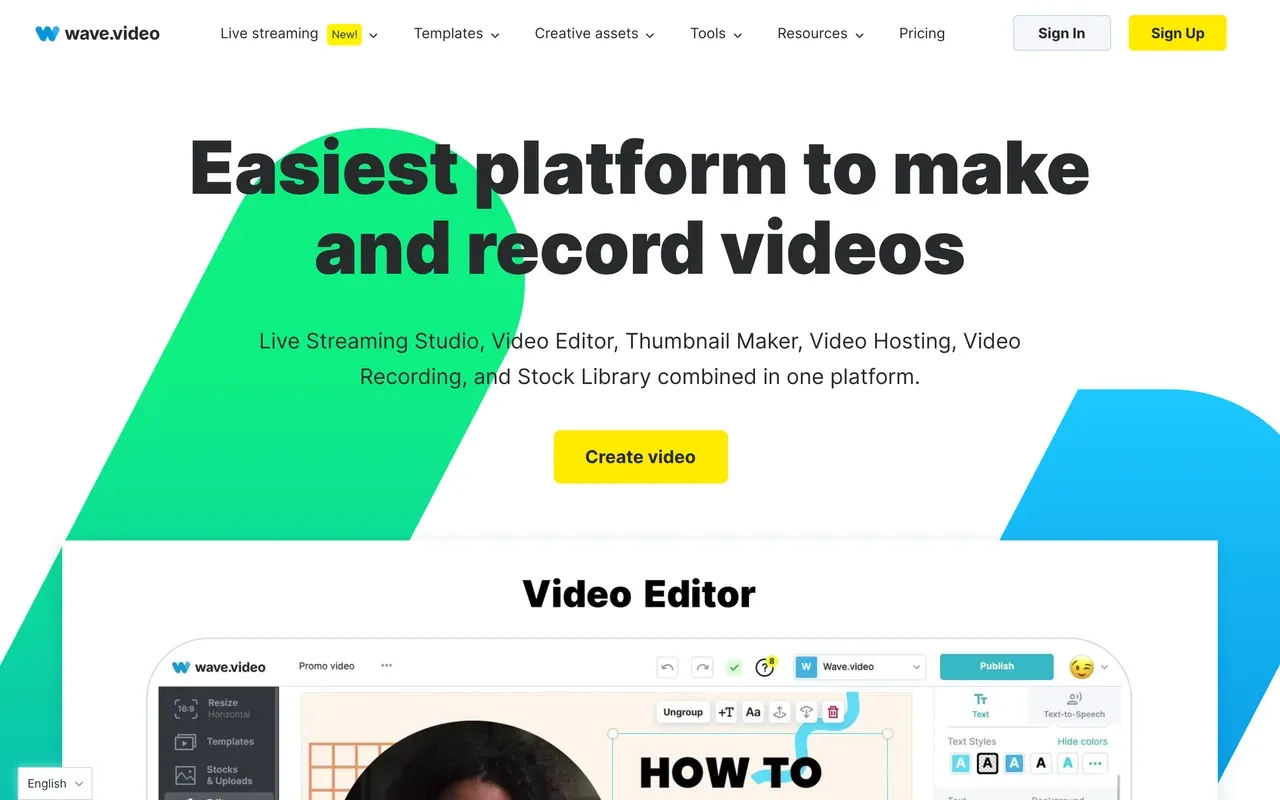
Wave.video bundles an editor with a multistreaming live studio, video hosting, and a thumbnail maker, useful if you run premieres or streams from the same account. But its free editor caps videos at just 15 seconds, watermarked, a much tighter limit than Animoto's free 720p exports, which carry no fixed length ceiling in our check. Reliability is the bigger gap: Wave.video's Trustpilot score sits at 2.6, "Poor", with reviewers citing livestream glitches and reports of unconsented overage charges, well below Animoto's steadier 3.7.
- Pricing:
- From $12.80/mo billed annually (Streamer; $16 monthly)
- Free plan:
- Editor limited to 15-second videos, watermark on all outputs
- Best for:
- Streamers who want editing, hosting, and multistreaming under one subscription
Pros
- Editor, live streaming, hosting, and a thumbnail maker in one bundle
- Large template library with stock integration
- Strong G2 rating: 4.6
Cons
- Free plan caps edited videos at just 15 seconds
- Trustpilot down to 2.6, "Poor", over reliability complaints
- Reports of unconsented overage charges
Animoto vs EchoWave at a glance
| Feature | EchoWave | Animoto |
|---|---|---|
| Free tier reality | Free forever: full editor, audio and video up to 60 minutes, 720p exports | 720p export, capped to 30 color swatches, 3 fonts, and 50 music tracks, limited Getty access |
| Watermark on free exports | Small badge in the editor; quick tools export with no watermark | Watermark on free exports |
| Starting price | $9/mo billed annually (Basic; $19 monthly) | $16/mo (Basic; no annual billing published) |
| Annual billing option | Yes, annual billing lowers every tier's effective monthly rate | Not published at any tier; the flat monthly rate is the only confirmed price |
| Timeline and keyframes | Multi-track timeline with keyframe animation and transitions | Block-based editor; no timeline, no keyframe animation |
| Max export resolution | 8K at 120fps on Business; 4K at 50/60fps on Pro | 1080p HD from Basic up; no 4K found at any tier |
| Licensed stock and music | Stock sound effects library; no licensed stock photo, footage, or music catalog | Getty Images licensing up to 100M+ assets and 3,000+ licensed music tracks on top tiers |
| Team and reseller options | Team collaboration on Business; no reseller or white-label license | Reseller/white-label license on Professional Plus; supports up to 3 users |
| Platforms | Browser-based; desktop apps for Mac, Windows, and Linux | Web only |
| Account required to start | No account needed to start editing | Account and sign-up required |
| Privacy and AI training | Files processed for your session, not used to train AI models | No public AI-training policy found in our check |
Best free Animoto alternative
Animoto's free plan exports at 720p but is watermarked and capped to 30 color swatches, 3 fonts, and 50 music tracks, tight for a real project. EchoWave's free plan takes video up to 60 minutes at 720p with a small badge, and quick tools like trim, crop, compress, and convert export with no watermark. FlexClip's free plan matches Animoto's 720p ceiling but caps length at 10 minutes and forces its own branded intro on every export, on top of the watermark, worth knowing before you pick either as your free option.
How to remove the Animoto watermark
On Animoto itself, the watermark comes off starting at Basic, $16 a month with no annual discount published anywhere we checked, which also unlocks 1080p and unlimited downloads. On EchoWave, quick tools like trim and compress already export watermark-free on the free plan, and removing the small editor badge costs $9/mo billed annually. Renderforest removes its own watermark from $9.99/mo billed annually, close to EchoWave's price but capped at 720p rather than 1080p.
Is Animoto safe and good in 2026?
Yes to safe: Animoto is a real, active product, acquired by Redbrick Technologies in August 2023 and still operating under its own brand, not sunset or abandoned. Good is more mixed. Its Trustpilot score sits at 3.7, "Average", and reviewers describe templates that feel dated and a block editor with no timeline or keyframe control at all. What still works well: fast output for non-editors and a genuinely deep Getty Images and licensed-music bundle. If the block-editor ceiling is the problem, EchoWave and VEED both offer real timelines instead.
Apps like Animoto for real estate and slideshow video
Animoto built its reputation here: real estate agents and small businesses turning listing photos into a polished slideshow fast, backed by licensed Getty stock. EchoWave covers the same job inside a full editor, timeline control, transitions, and background music for a soundtrack, plus captions if the listing video needs them. Biteable leans more toward HR and business explainers than property listings, and Renderforest is the better pick if you also want a matching logo or website out of the same subscription.
How to switch from Animoto to EchoWave
One project, from photos or clips to a published video, with a real timeline underneath.
-
1. Upload your photos or clips
Bring images, video clips, and a soundtrack into the online video editor in any browser. No account needed, and files are processed for your session, not used to train AI models.

-
2. Build on a real timeline
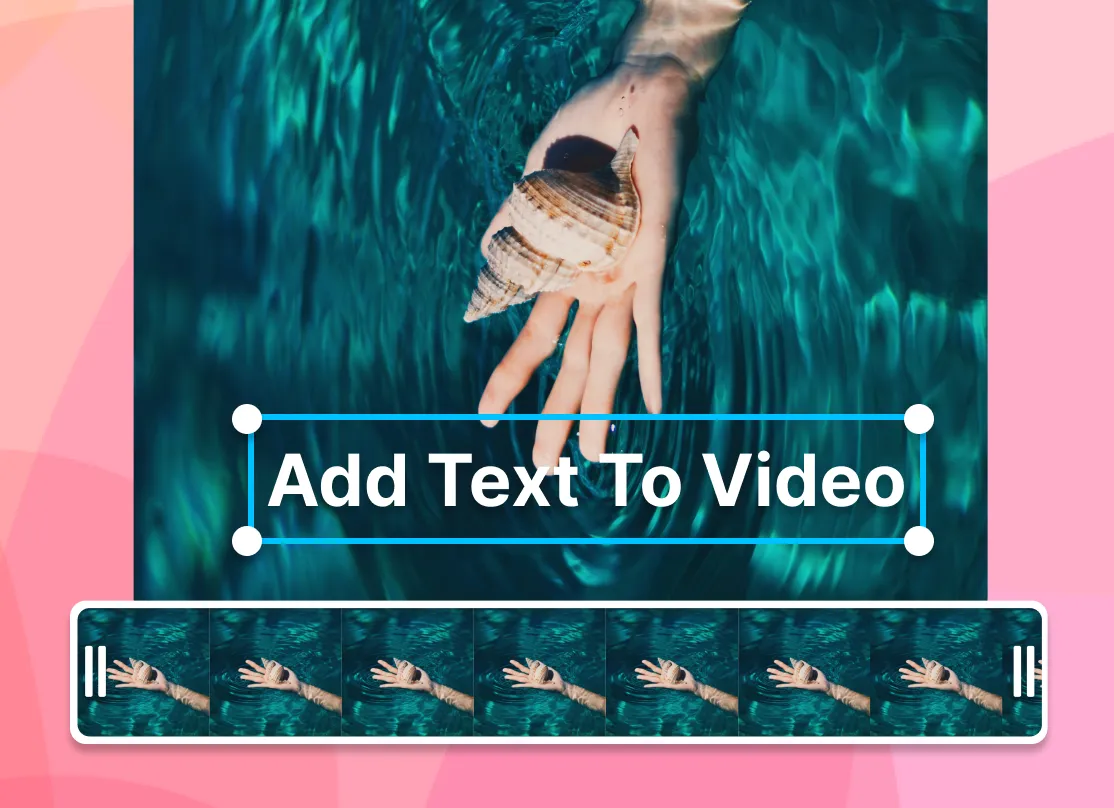
Arrange clips with keyframe animation and transitions instead of fixed blocks, add background music, and layer captions if you need them. Everything lives on one multi-track timeline.
-
3. Export in the resolution you need
Render and download: 720p free, 1080p from $9/mo billed annually, 4K at 50/60fps on Pro. There's no flat, monthly-only price to plan around, annual billing lowers every tier.
Why people switch to EchoWave

About the EchoWave team
EchoWave is a browser-based video and audio editor built by Lemon Vault LLC since 2018. The people who build the editor write these guides and test every step in the production app before publishing.
Animoto alternative FAQ
What is the best free Animoto alternative?
EchoWave's free plan takes video up to 60 minutes at 720p with a small watermark badge, and quick tools like trim, crop, compress, and convert export with no watermark at all. Animoto's own free plan also exports at 720p but is watermarked and capped to 30 color swatches, 3 fonts, and 50 music tracks, tighter creative limits than a raw length cap. FlexClip's free plan matches the 720p ceiling but adds a forced branded intro on top of its watermark and caps length at 10 minutes.
What is cheaper than Animoto?
Animoto's Basic plan is a flat $16 a month, with no annual discount published anywhere we checked, and it just removes the watermark while upgrading to 1080p. EchoWave Basic runs $9/mo billed annually for the same 1080p upgrade, and Renderforest Lite is $9.99/mo billed annually, though it caps out at 720p rather than 1080p. If Getty stock and licensed music aren't essential to you, both alternatives cost less than Animoto's flat monthly rate once you commit annually.
Does Animoto have a watermark?
Yes, on the free plan, which also limits you to 30 color swatches, 3 fonts, and 50 music tracks with limited Getty access. Removing it requires Basic at $16 a month, Animoto does not publish an annual rate at any tier, so that flat price is the only confirmed number. On EchoWave, quick tools like trim and compress export watermark-free on the free plan, and the editor's small badge comes off at $9/mo billed annually, cheaper than Animoto's flat monthly rate.
Animoto vs EchoWave: which should I pick?
Pick Animoto if licensed Getty photos and footage plus a large licensed music library matter more to you than editing control, its bundle scales up to 100M+ premium assets and 3,000+ tracks on the top tier, and its block-based workflow is genuinely fast for non-editors. Pick EchoWave if you want an actual timeline with keyframe animation and transitions, a music visualizer and waveform tools, and annual billing that lowers the price, something Animoto doesn't publish at any tier. EchoWave's stock library is sound effects, not licensed stock photos or music, so bring your own visuals.
Is Animoto being shut down?
No. Animoto was acquired by Redbrick Technologies in August 2023 and continues operating as its own brand inside Redbrick's portfolio, alongside Redbrick's other products. There's no dated evidence of a shutdown, sunset notice, or further acquisition since. The switching pressure reviewers describe is about dated templates and no timeline or keyframe control, plus auto-renewal billing complaints, not the product disappearing.
What is Animoto used for?
Animoto is a block-based video maker built for turning photos and video clips into a polished slideshow fast, with a deep Getty Images photo and footage library and a licensed music catalog bundled into paid tiers. It's popular with real estate agents and small businesses that want marketing videos without hiring an editor or learning a timeline tool. It is not built for frame-level editing: there's no keyframe animation and no timeline, the pacing comes from its patented Cinematic AI auto-editing engine instead.
Why do people look for Animoto alternatives?
The recurring complaint pattern is renewal billing, not output quality, Trustpilot reviewers describe being charged repeatedly despite multi-month cancellation attempts, with refunds often issued as account credit rather than money back. The other driver is the block editor's ceiling: no timeline, no keyframe animation, and templates reviewers say look several years old. None of that erases Animoto's real strengths, its Getty stock and music bundle are genuinely deep, so switching usually comes down to wanting more editing control or clearer billing.
What are the best apps like Animoto for quick slideshow video?
FlexClip and Renderforest are the closest template-first alternatives, both give you more scene control than Animoto's fixed blocks, with FlexClip cheaper to start at $11.99/mo billed annually and Renderforest bundling a logo maker and website builder. EchoWave takes a different approach entirely: a real timeline with keyframes and transitions instead of templated blocks, plus a music visualizer for the soundtrack. All three beat Animoto's flat $16/mo, no-annual-discount pricing once you commit to a year.
Is Animoto good for beginners with no editing experience?
Yes, that's its core strength: drop in photos and clips, pick a style, and its Cinematic AI engine handles pacing automatically, no timeline or keyframe skills required. The trade-off is a hard ceiling once you outgrow that simplicity, there's no way to fine-tune timing or add real animation. EchoWave and VEED both keep a similarly approachable start while adding a real timeline underneath for when you need more control.
The honest verdict
Build a real timeline, not a fixed block EchoWave has a free plan
Videos up to 60 minutes, no account needed to start.
Get Started →
How we checked
Prices and limits on this page come from the tools' own published pages, as checked August 2026:
- Animoto pricing (animoto.com) - Animoto
- Animoto pricing (capterra.com) - Capterra
- FlexClip pricing (flexclip.com) - FlexClip
- Biteable pricing (biteable.com) - Biteable
- Renderforest subscription (renderforest.com) - Renderforest
- InVideo (invideo.io) - InVideo
- VEED pricing (veed.io) - VEED
- Lumen5 pricing (lumen5.com) - Lumen5
- Adobe Express pricing (adobe.com) - Adobe Express
- Wave.video pricing - Wave.video
Every competitor claim on this page was re-verified against the sources above on August 3, 2026.
Pricing and limits change often. If anything here is out of date, email hello@echowave.io with a link and we'll correct it. Our editorial policy explains how we test and update comparisons.
Trademark and comparison notice. Animoto and all related names, logos, product names and trademarks are the property of their respective owners. EchoWave is an independent product and is not affiliated with, associated with, authorised by, endorsed by, sponsored by, or in any way officially connected to Animoto or its owners. Any third-party names, logos and trademarks are used here only to identify and compare the products honestly (nominative fair use) and do not imply any endorsement, partnership or affiliation.
This comparison reflects EchoWave's own opinion and our understanding of publicly available information believed accurate at the time of writing. Third-party features, pricing and availability change frequently and can vary by region, so figures may be out of date; please confirm the current details on Animoto's official website before making a decision. EchoWave makes no representation or warranty as to the accuracy or completeness of any third-party information shown here. If you believe anything on this page is inaccurate or out of date, please contact us and we will review it promptly.























































