
How to Find the Moments in a Video That Work as Clips
Most of a long recording is connective tissue. This guide gives you a five-point test for spotting the few minutes that can stand on their own in a feed, and a faster way to apply it.


How to Find the Moments in a Video That Work as Clips Features
Picking the moment matters more than editing it
A perfectly captioned, beautifully framed clip of a forgettable moment still gets scrolled past. A rough clip of a great moment often does not. That is why experienced editors spend most of their time choosing, not cutting. In a 60-minute podcast or webinar there are usually only a handful of stretches that can survive on their own in a feed, and the job is to find them without rewatching the whole thing three times.
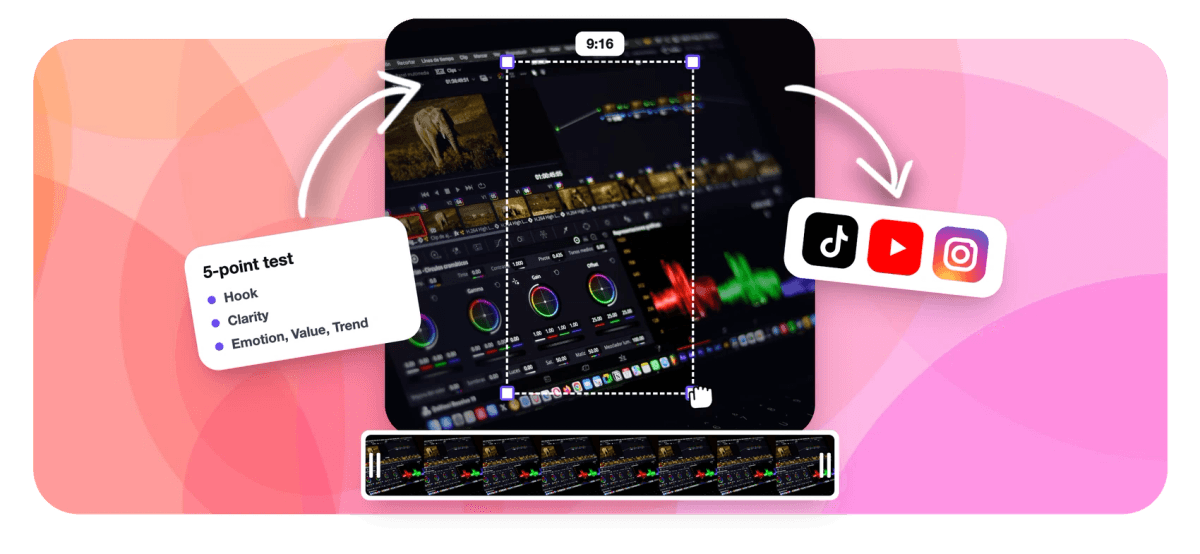
No one can promise that a clip will go viral. Reach depends on timing, audience and luck as much as content. What you can do is stack the odds: pick moments that open strongly, make sense without context, carry some feeling, give the viewer something, and connect to what people already care about. Those five qualities make a useful checklist.
What a clip-worthy moment has in common
Before the test, one rule underneath all of it: the moment has to stand alone. A viewer in a feed did not see the previous 20 minutes. If the clip depends on something said earlier, or ends before the point lands, it fails no matter how good the content is. Keep that in mind as you score each candidate.
What creators say after trying EchoWave
The five-point test
Score each candidate moment on five questions. A moment does not need top marks on all five, but the strongest clips usually score well on at least three.
1. Hook: does it open strong? Read or listen to the first sentence alone. Is it specific, surprising or curious enough to earn the next second? A bold claim, a number, a question the audience already has or the start of a story all qualify. "Yeah, so, building on that" does not. If the strong line sits a few seconds in, the moment may still work once you start the clip there. The guide to writing video hooks covers this step in depth.
2. Clarity: can a stranger follow it? One idea, stated plainly, with any needed context inside the clip. Watch for pronouns pointing at things off-screen ("that thing we discussed"), jargon your feed audience will not know, and tangents that wander away from the point.
3. Emotion: does anyone feel something? Laughter, surprise, disagreement, frustration, relief. Emotion shows up in voices and faces before it shows up in words, which is why it is easy to miss in a transcript. Back-and-forth exchanges, where two people react to each other, are often the most emotionally alive parts of a recording.
4. Value: does the viewer leave with something? A tip they can use, a fact they did not know, a perspective that reframes a problem, or simply a good laugh. Ask what the viewer would say if a friend asked why they watched it.
5. Trend: does it connect to what people care about now? A topic in the news, a common pain in your niche, a question your audience keeps asking. Timeliness is not required, but a strong moment on a topic people are already searching for has a head start.
Where the moments tend to hide
Certain parts of a recording produce clips more often than others.
- Disagreements and pushback. When a guest challenges the host, or a buyer pushes back on a price, energy rises and both sides get clear.
- Stories with an ending. Look for "so the day before launch" and follow it to the payoff. The payoff is usually 30 to 90 seconds later.
- Numbers and specifics. Concrete figures and named examples make moments quotable.
- Q&A sections. Audience questions are pre-validated hooks, because somebody actually asked them.
- Reactions. A big laugh, a long pause before an answer, a crowd going loud. In gaming and comedy, the reaction is often the moment.
The opening minutes of a recording are often warm-up, and the last minutes are wrap-up, so the middle tends to be richer. That is a tendency, not a rule: a podcast with a strong cold open may have its best clip at minute two.
Check the boundaries
A good moment can still make a bad clip if it starts or ends in the wrong place. Start on the first sentence that stands alone, not on the question that led to it unless the question is the hook. End just after the payoff, before the speaker moves on. Cutting on a sentence boundary and into a natural pause keeps the clip from feeling chopped. Then run the mute test: watch with the sound off and captions on. If the point still comes through, the clip will survive a feed where most people scroll silently.
The test in practice: three recordings
A 70-minute interview podcast. The guest's origin story scores well on emotion but opens with "So I grew up in a small town," a weak hook. Two minutes later she says "I was fired from the job that made me start this company," which is a strong hook, clear and emotional. Start the clip there and end on the line where she names the company. One rambling segment becomes a 45-second story.
A 50-minute product webinar. The demo is long and visual, so the full walkthrough fails the clarity test as a clip. The Q&A is better: an attendee asks "Does this replace our spreadsheet?" and the presenter answers in 40 seconds with a specific example. The question is the hook, the answer carries the value, and a presenter plus slides layout keeps the screen readable.
A three-hour gaming stream. Almost nothing quotable is said, so a transcript scan finds little. The moments live in reactions: a sudden silence, then shouting after a clutch round. Here emotion and hook come from the sound and the face, which is why audio energy and reaction peaks matter as much as words.
A faster way to apply the test
Scoring every minute of every recording by hand is slow, and it is the step most creators skip when they are busy. Three shortcuts help.
Scan the transcript, not the video. Reading is several times faster than watching. Look for questions, numbers, disagreements and story openers, mark timestamps, then watch only those stretches.
Search for the topic you already know you want. If you remember a guest talking about pricing, search for it instead of scrubbing. EchoWave's find moments in video tool searches the word-timed transcript from a plain-language prompt and returns timestamped matches.
Let software rank the candidates, then judge them yourself. EchoWave's viral clip finder applies this same five-part idea automatically. It reads the transcript alongside audio energy, reaction peaks, silences, speaker turns and scene cuts, and gives every candidate a Viral Score from 0 to 100 built from Hook, Clarity, Emotion, Value and Trend sub-scores, with a written reason such as "strong hook" or "back-and-forth". You can watch the analysis happen as frames, waveform and transcript fill in, and the ranked clips arrive already framed and captioned. If you have a moment in mind that the ranking skipped, ask Echo, EchoWave's AI editor, to find it.
Treat any score as a second opinion with its reasoning shown, not a verdict. Your knowledge of your audience is the final filter.
How many moments should one recording give you?
It varies with the material. A lively 60-minute conversation might hold eight or more strong moments; a dense technical webinar might hold four. Quality beats quota: posting three clips that pass the test does more for a channel than ten that do not. Pick the strongest, post the best one first, and keep notes on which of the five qualities your top performers share.

About the EchoWave team
EchoWave is a browser-based video and audio editor built by Lemon Vault LLC since 2018. The people who build the editor write these guides and test every step in the production app before publishing.
Finding viral moments FAQ
How do I find the best moments in a long video?
Start with the transcript rather than the video, since reading is faster than watching. Mark stretches with a strong opening line, a clear single idea, visible emotion, a takeaway for the viewer and a topic people care about now. Then watch only those stretches, check that each stands alone without earlier context, and set clean start and end points on sentence boundaries. For long or frequent recordings, an AI tool that ranks candidates with stated reasons speeds this up, and you make the final call.
What makes a moment in a video go viral?
Nothing guarantees it, because reach depends on timing, audience and luck as well as content. Moments that perform well usually share a few traits: a hook that earns the first seconds, an idea a stranger can follow without context, genuine emotion such as laughter or disagreement, something the viewer gains, and a connection to what people already care about. A clip that hits three or more of those has far better odds than one built on a moment that only makes sense to existing fans.
Can AI find the viral moments in my video?
AI can find and rank strong candidates, which is most of the work. EchoWave's clip tools read the word-timed transcript together with audio energy, reaction peaks, silences, speaker turns and scene cuts, then score each candidate 0 to 100 across Hook, Clarity, Emotion, Value and Trend with a plain-English reason. That catches non-verbal moments a transcript-only approach misses. It is still a prediction, so review the top of the ranking with your own judgment about your audience before posting.
What is a good length for a clip moment?
Long enough to complete the thought and no longer. Single reactions and one-liners often work at 15 to 30 seconds, a complete point with setup and payoff usually needs 30 to 60 seconds, and a story may need 60 to 90 seconds. Let the moment decide: end just after the payoff rather than padding to a target length. The guide to the best clip length for Shorts, Reels and TikTok covers platform limits and retention data in detail.
Where in a recording are the best clips usually found?
Often in the middle, after the warm-up and before the wrap-up, though a strong cold open can change that. Look especially at disagreements, stories that reach a payoff, specific numbers and examples, audience Q&A, and big reactions such as laughter or a crowd going loud. In interviews, the guest's longest uninterrupted answer to a pointed question is frequently the best clip. In gaming and comedy, follow the reactions rather than the words.
How do I know a clip makes sense on its own?
Run two quick checks. First, the cold-open test: read the clip's first sentence with no context and ask whether it makes sense. If it leans on something said earlier, move the start forward. Second, the mute test: watch with sound off and captions on. If the point still comes through, the clip will hold up in feeds where most people scroll silently. If either check fails, adjust the boundaries or choose another moment.
How many clips should I get from a one-hour video?
There is no fixed number, because it depends on how dense the recording is. A lively one-hour conversation might give eight or more clips that pass the five-point test, while a slower technical session might give three or four. Prioritize quality: three strong clips do more for a channel than ten weak ones. Tools that let you set a clip count, or leave it on auto so only moments that clear the bar are returned, help you avoid padding the batch.
Can I search a video for a specific moment instead of ranking everything?
Yes. If you already know what you want, such as every moment about pricing or the story about a first customer, search for it directly. EchoWave's Find moments about prompt searches the word-timed transcript for matching stretches and returns timestamped results you can turn into clips, and keyword boosts help when a specific term matters. You can also ask Echo, the AI editor, in plain words for the part you remember once the clips are ready.
Score every moment before you post
Get ranked clips with Hook, Clarity, Emotion, Value and Trend sub-scores from one long video.
Get Started →























































